
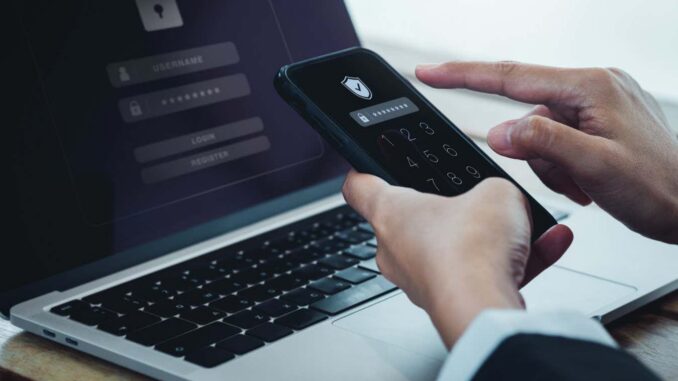
Passwords are both a curse and a blessing
tete_escape/Shutterstock
Passwords occupy a special place in our lives. They are both a blessing – protecting our data and information from anyone who breaks into and accesses our IT systems – and a curse, as they are often difficult to manage and difficult to remember. Cyber Security Expert Jake Moore ESET, the European cybersecurity firm, is here with three tips to help you rethink your relationship with passwords – and hopefully keep hackers at bay.
1. Use a password manager, even if it feels counterintuitive
I’m a big fan of password managers and I think they’re very underused. Depending on where are you in the worldand who is doing the studyonly about one-third of people use a password manager. That seems like a punishingly low number to me. They are game changers. They give you the ability to create long passwords for your account and store them securely. They are so good at generating passwords for you that you don’t have to come up with one.
This is important because we know that when people are asked to come up with their own passwords, they tend to rely on things or words they know—all of which can be information that a hacker or bad actor might have about you and can make you vulnerable. It also eliminates another big risk, which is the reuse of passwords between accounts. If the password is used by someone else, even just one person, and that person’s account is compromised, it can end up in tables of vulnerable passwords that are used to try and test access to accounts.
Sometimes I wonder why people don’t use password managers more. It’s possible that they don’t understand how password managers work because they think that storing passwords online somewhere that can be unlocked with a single password is insecure. But it isn’t. The vault where passwords are stored is not just a simple list of passwords stored on a server: your data is encrypted on your device with a strong key derived from your master password, and what is stored online is encrypted ciphertext that even a password manager provider cannot read without that key.
2. Multi-factor authentication is an absolute must
Even with the world’s strongest password—and national cybersecurity agencies recommend a combination between 14 and 16 different characters enough to deter drive-by attacks – it’s still possible to fall victim to hackers. Multi-Factor Authentication (MFA) adds a layer of friction for hackers to make sure that every login you make is approved by you, the user.
It’s an extra layer of security, like a code to your phone. This can be done via SMS, but it is not as secure as the other levels. Authenticator apps are an amazing next level in MFA to me, and it’s a shame people aren’t forced to use them. If we think about Instagram for example, they inform about the need to use MFA only when you hit 10,000 followers. It’s like they think, ‘Well, if we push it to 10,000 followers, they’ll do it because they don’t want to lose their 10,000 followers. But if we force them to do that when they sign up when they don’t have zero followers, they might get confused and not create an account.” This is absurd to me.
We shouldn’t be prioritizing people’s ease of use over security, and until we start enforcing that, we’ll continue to see people frantically worried that their social media accounts, or any of their accounts, will be compromised. So turn on MFA wherever it’s offered.
3. Avoid passwords altogether where you can
Passwords are far from perfect – and it’s handy that there’s a more modern and secure alternative that’s being adopted at an increasing rate. We’re moving towards a password-free society, and that’s a step in the right direction.
Access keys are that alternative, and the beauty of them is that they take a lot of human error out of the equation. Instead of entering a password, you log in using your device or a secure key stored on your phone, often with your fingerprint. Behind the scenes, cryptographic keys do the hard work, but the user can’t see it – it stays simple. Simplicity is why they’re such a gamer: they remove the temptation to reuse an old password or add a predictable number to the end of something familiar.
In some ways, they are too easy. When I talk to people, they are suspicious of access keys because they seem too simple. If it seems easy to them, they assume it must be easy for criminals. But it doesn’t work that way – the technology behind the scenes is working much harder than you need it to be.
Access keys are not yet available everywhere and there are still issues, especially if you lose your device. But overall, passkeys are a big step forward because they remove one of the oldest and weakest links in security – the password itself.
As Chris Stokel-Walker said
topics:
Leave a Reply